I may earn a commission at no extra cost to you. #ad
Free Guide: How to Setup and Optimize Your First ASIC Miner for Maximum ROI
Jump to Section
Welcome to the world of industrial-grade cryptocurrency mining. Transitioning from GPU mining or hobbyist cloud mining to owning an Application-Specific Integrated Circuit (ASIC) is a significant milestone. These machines are designed for one purpose: to solve a specific hashing algorithm as fast and efficiently as possible.
Understanding ASIC Miners
An ASIC miner is not a general-purpose computer. Unlike a PC, it lacks a GPU for graphics or a versatile CPU. Instead, its "brains" are custom-made chips hardwired for algorithms like SHA-256 (Bitcoin) or Scrypt (Litecoin/Dogecoin). This hyper-specialization allows them to achieve hash rates that no standard computer could ever match.
When selecting your first miner, you must balance three factors: Hash Rate (how much power it has), Power Consumption (how much electricity it uses), and Initial Cost. To maximize Return on Investment (ROI), you don't always need the most expensive machine; you need the one that delivers the best Joules-per-Terahash (J/TH) ratio for your specific electricity rate.
Preparing Your Infrastructure
Before your miner arrives, your environment must be ready. Failure to prepare the "mining site" is the leading cause of premature hardware failure.
- Electrical Supply: Most ASICs consume between 2,500W and 3,500W. This requires a 220V-240V circuit. Consult an electrician to install a NEMA 6-20R or L6-30R outlet. Running these on a standard 110V home outlet will likely lead to thermal damage or constant breaker trips.
- Cooling and Ventilation: ASICs produce an immense amount of heat—think of it as a 3,000W space heater that never turns off. You need a dedicated exhaust system to move hot air out of the room and bring in fresh, cool air.
- Network: A stable internet connection is vital. While mining doesn't use much bandwidth, latency (ping) and stability are critical. Use a wired Ethernet connection; Wi-Fi is too unstable for consistent mining.
Unboxing and Hardware Setup
Once you have your miner, perform a visual inspection. Check for loose heat sinks by gently shaking the unit (do not do this aggressively). If you hear metal rattling, a chip may have come loose during shipping.
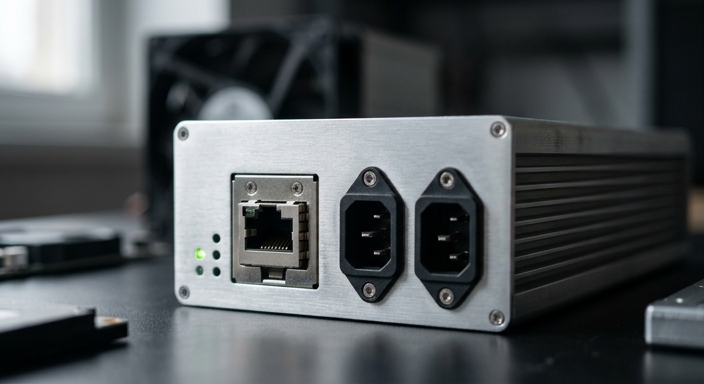
Connect your power cables (typically two C13 cables for most modern units) and your Ethernet cable. Flip the power switch. The fans will immediately spin at 100% speed—this is normal. It will take 2-5 minutes for the miner to boot and perform its initial self-test.
Connecting to a Mining Pool
Mining solo is a game of luck. To get a steady income, you must join a mining pool. Popular choices include Foundry USA, Antpool, and Braiins Pool.
- Find the Miner's IP: Use a tool like "Advanced IP Scanner" or check your router’s DHCP table to find the local IP address of your miner.
- Access the Dashboard: Type the IP address into a web browser. The default login is usually
admin/adminorroot/root. - Enter Pool Credentials: Navigate to the "Miner Configuration" or "Settings" tab. You will need to enter the Stratum URL provided by your pool and your Worker Name (usually
YourUsername.Worker1).
Optimizing for Maximum Efficiency
Maximum ROI isn't just about high hash rates; it's about the efficiency of those hashes. If your electricity is expensive, you might actually make more profit by underclocking your miner.
Using custom firmware like Braiins OS+ or Vnish can allow you to "Autotune" your chips. This process finds the optimal voltage for each individual chip, often reducing power consumption by 10-15% while maintaining the same hash rate. If Bitcoin's price drops, you can switch your miner to "Low Power Mode" to stay profitable even when margins are thin.
Calculating and Managing ROI
Your ROI is calculated as: (Daily Revenue - Daily Electricity Cost) / Initial Hardware Cost.
To maximize this, you must treat mining as a business. Keep your firmware updated, ensure your intake air is filtered to prevent dust buildup, and monitor your miner's temperature. Ideally, your PCB (Printed Circuit Board) temperatures should stay below 80°C to ensure a lifespan of 3-5 years.
Frequently Asked Questions
Q: Why is my hash rate zero even though the fans are spinning?
A: This usually means the miner cannot connect to the pool. Check your internet connection, verify the Stratum URL, and ensure your mining pool account is active.
Q: How loud are ASIC miners?
A: Most ASICs produce 75-85 dB of noise, similar to a vacuum cleaner or a loud hair dryer. They are not suitable for living rooms or bedrooms without specialized sound-dampening enclosures.
Q: Can I mine different coins with the same ASIC?
A: You can only mine coins that use the same algorithm. A Bitcoin miner (SHA-256) can mine Bitcoin, Bitcoin Cash, and BSV, but it cannot mine Litecoin or Dogecoin.